 Walti
WaltiPrivacy · 5 min read
How to Track Expenses on iPhone Without Linking Your Bank Account
Most budgeting apps start with the same step: connect your bank. You approve access once, often through your bank's own sign-in page, and from then on your transactions arrive and get sorted into categories for you.
It's convenient, and for plenty of people it's the right choice. It just isn't the only way. You can get an accurate picture of your spending without a bank connection at all. It takes a different habit, not a smarter algorithm.
Manual tracking isn't what it used to be
The reputation manual tracking has — spreadsheets, forgotten receipts, a habit that dies by February — comes from how it used to be done. On a phone, logging an expense is much lighter: open the app or tap a widget, enter an amount, pick a category, done. A description is there if you want one.
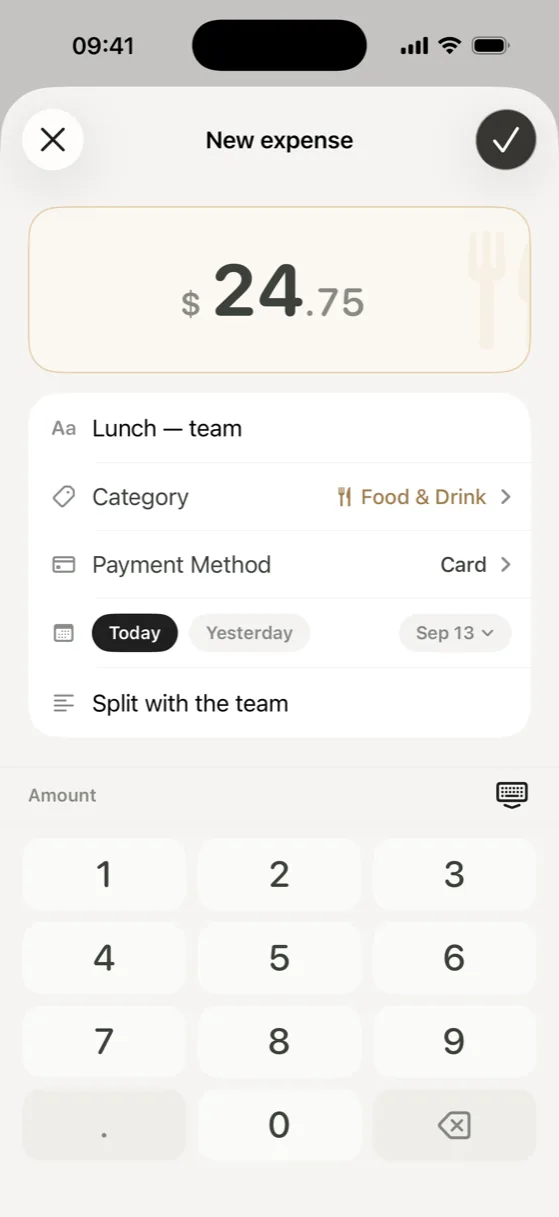
The friction that kills manual tracking isn't the logging itself. It's remembering to do it later. Which points to the actual fix.
Log at the moment of spending, not at the end of the day
"I'll add it tonight" is where manual tracking goes to die. By evening you remember the big purchase and forget the coffee, the parking, the impulse buy at the pharmacy — the small stuff that adds up the fastest and disappears from memory the quickest.
The habit that holds up: log the expense at the register, in the moment before you put your phone away. A quick way into the new-expense screen helps — a Home Screen widget, a Quick Action on the app icon, or on iOS 18 and later a Control Center button or the Action Button — so there's no hunting for the app or navigating a menu. From the Lock Screen, iOS asks you to unlock first, as it does for any app.
Recurring charges without automatic bank scanning
Subscriptions are the one category people assume needs a bank connection to catch. It doesn't — it needs a list. Set up each recurring charge once with its amount, category, and how often it repeats, and it shows up for you to confirm when it's due. You're not scanning your statement for charges; you already have the list, and confirming takes one tap.
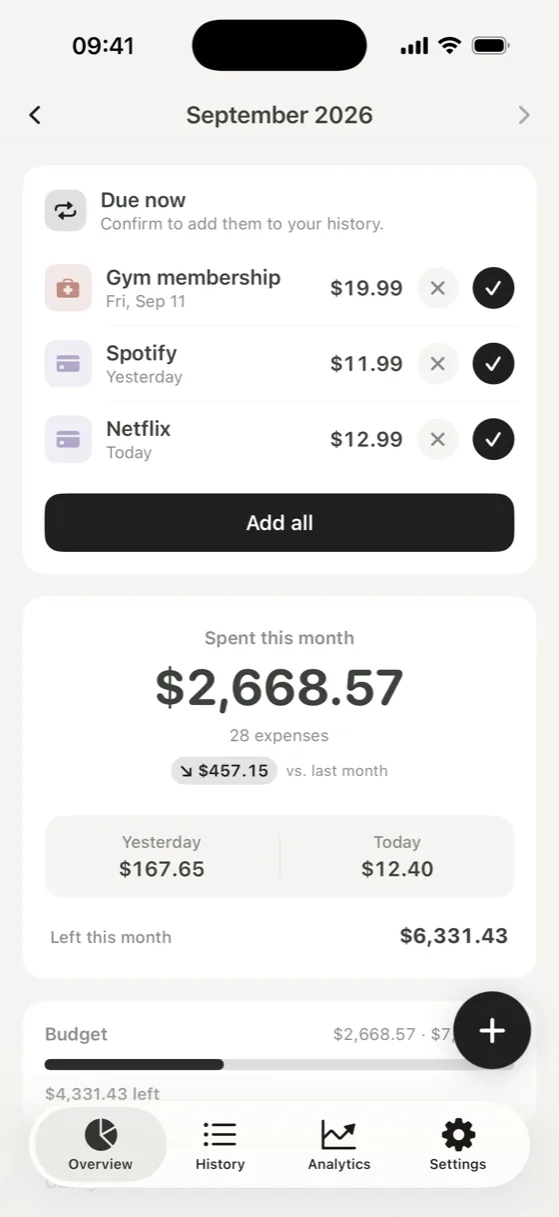
You still get the numbers that matter
Without a bank feed, you don't lose the parts of budgeting that actually change behavior: a monthly total, a category breakdown, a trend over the last few months, a sense of whether this month is running hot or cold compared to normal. All of that comes from the expenses you logged, not from where the data originated.
What logging adds is attention. Each entry is a small moment of noticing what you spent, and that noticing is often what changes a habit. A bank feed is more complete; logging keeps you closer to each decision.
What bank syncing does well, and what it asks for
Automatic syncing has real advantages. Every card payment shows up without you doing anything, nothing slips through because you forgot to log it, and a subscription you'd forgotten about appears on its own. If you want a complete record with no effort, it's hard to beat.
It also asks for a few things. Another company sits between your bank and the app, and your transaction history is stored outside your phone, under its security and retention policies. Connections sometimes need approving again, imported categories often need fixing, and cash never shows up. Whether that trade is worth it is a personal call. Manual tracking is simply the other option.
How to tell if a budget app uses Plaid
Most apps that sync your bank don't build that connection themselves. They use an aggregator — most often Plaid, sometimes MX or Finicity. You'll see it during setup: the app asks you to pick your bank from a list, then either shows the provider's sign-in screen or sends you to your bank's own app or website to approve access. With that second kind, the budgeting app never sees your password.
To check before you install, read the app's description and privacy policy; apps that connect to banks usually name the provider they use. The App Store privacy label is a useful overview of what an app collects, but it won't tell you which service, if any, connects your bank. And if an app asks for your bank before it lets you add a single expense, syncing is at the center of how it works. An app built for manual tracking simply never asks.
Walti works this way. There's no bank login, no Plaid or other aggregator, no account and no Walti server. Your records are stored on your iPhone and leave it only in a backup: a file you export, or your own iCloud or computer backup. You add expenses from the app, a Home Screen widget or the app icon's Quick Action, and on iOS 18 and later from Control Center or the Action Button. Recurring expenses wait for you to confirm them when they're due, and your month, trends and categories all come from what you logged.
You don't need a bank feed to know where your money went. You need a moment at the register and a place to put it.